

Networking & connectivity · 3 min read
Business internet in Switzerland: fiber and backup
Business internet in Switzerland: fiber, symmetric bandwidth, static IP, the provider's SLA and a backup link to keep your small business online in an outage.
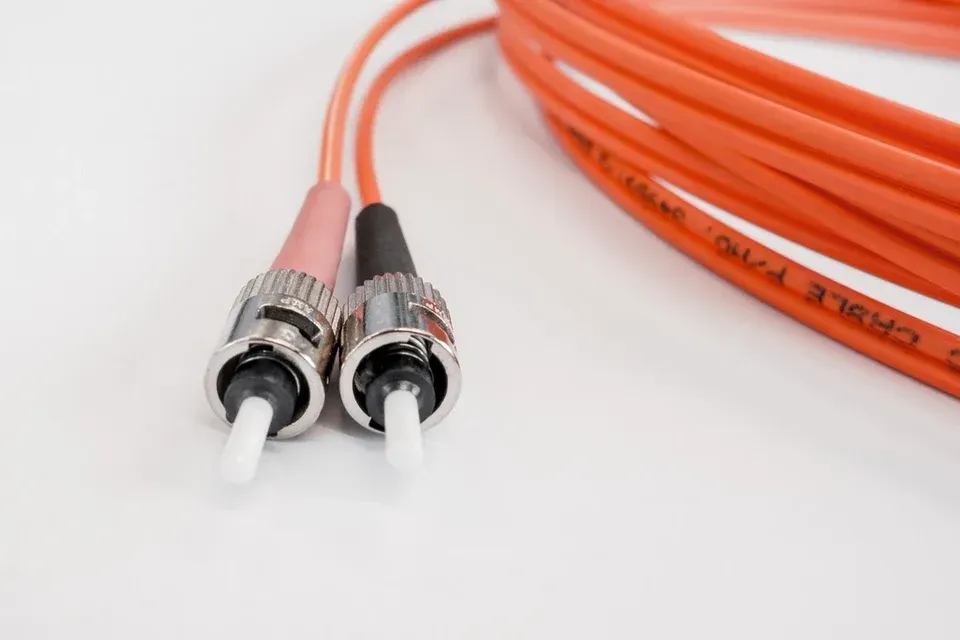
E-mail, Microsoft 365, VoIP telephony, online business software, off-site backup: in a small business, almost everything now runs over the company's internet connection. When the fiber goes down, it is not just the web that disappears, it is often the phones and access to files too.
Choosing business internet is therefore about more than the advertised speed. This guide covers the criteria that matter for a small business in Switzerland: type of connection, symmetric bandwidth, static IP address, service commitments and a backup link.
Fiber internet: how much bandwidth does a business need?
Fiber to the premises is now the standard for business internet, wherever it is available. The right bandwidth depends less on the number of employees than on what they do: several simultaneous video calls, large files on SharePoint or a nightly backup to the cloud do not have the same needs as simply checking e-mail.
The often overlooked point is upload speed. A symmetric connection offers the same speed for sending as for receiving. It matters as soon as the business sends a lot of data: off-site backups, video calls, employees accessing a server from outside, files shared with clients.
What to look for in a business internet plan
Beyond bandwidth, a few elements set apart a connection that suits a business. They are in the contract, not in the advertising: ask for them in writing.
- One or more static IP addresses, needed for a VPN, some hosted services or an allowlist at a supplier.
- An SLA (service level agreement) stating the restoration time after an outage and the support hours.
- Support reachable through a technical contact, with a line number and an escalation procedure.
- The option of putting the provider's router in bridge mode, behind your own firewall.
- A clear commitment period and clear termination terms.
Do you need a backup internet connection?
Even with a good SLA, an outage can last several hours: a cable cut during roadworks, an incident at the provider, a problem in the building. The question to ask is simple: what does half a day without internet, phones or cloud access cost you?
If the answer is "too much", a backup link is the way to go. There are two options: a second connection with another provider, ideally over a different physical path, or a 5G mobile link (or 4G depending on coverage). A second fiber line offers comparable bandwidth; a mobile link is simpler to install but depends on reception in your premises.
In both cases, the firewall monitors the main connection, fails over automatically to the backup link, then switches back to fiber once it is restored. A regular failover test confirms that everything actually works.
- Fiber outage The firewall detects the lost connection.
- Failover Automatic, no one needed on site.
- Backup link active Traffic moves to the second link.
- Backup mode Work continues, sometimes at lower speed.
- Back on fiber The main connection is restored.
Common mistakes
- Choosing on price or maximum advertised speed alone.
- Ignoring upload speed while backups are sent to the cloud.
- Keeping the provider's router as the only security device.
- A backup link that is installed but never tested.
- Not knowing who to call, or with which contract number, on the day of the outage.
How SysPros helps
SysPros provides connectivity through its Swiss provider partners Init7 and Wifx, or takes over management of your existing line. Depending on what is agreed in the offer, we size the backup link to how critical your operations are, configure failover on the firewall and document the setup, contracts and contacts included.
Further reading
-
Networking & connectivity · 2 min read
Business Wi-Fi: guest network and security
Separate guests, protect the internal network, cover every room: good practices for reliable, secure business Wi-Fi in a small or medium-sized business.
-
Networking & connectivity · 2 min read
Business firewall: what is it really for?
ISP-supplied router or business firewall? What a firewall protects in an SME, what it does not protect, and the settings to check on a regular basis.
-

Networking & connectivity · 3 min read
Business VPN: securing remote access
Business VPN, zero trust access, remote desktop: how a Swiss SME gives access to its data from outside the office without opening its network to attackers.