

IT management & budget · 3 min read
Business computer lifespan: when to replace a PC
Business computer lifespan: when to replace a PC, how to stagger renewal, wipe the drives securely and recycle IT equipment in Switzerland. A practical guide.
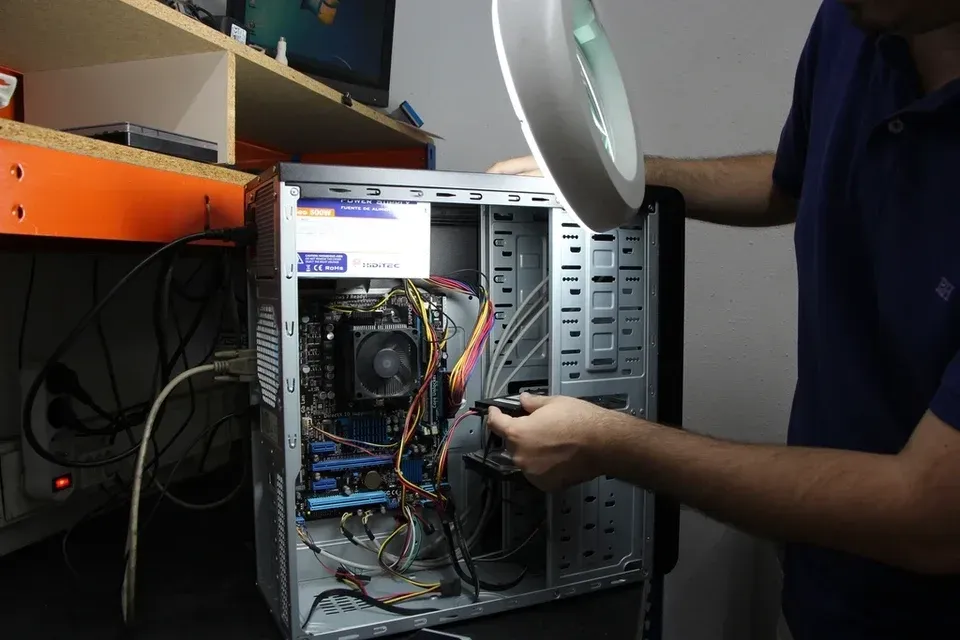
How long should you keep a computer? There is no single rule for business computer lifespan: it depends on how the device is used, its build quality and the software it has to run. A laptop that travels every day wears out faster than a desktop that stays in the office.
Rather than a number of years, a few concrete criteria show when a computer should be replaced. They also help you organize renewal and properly handle the devices that leave the company.
When should a business computer be replaced?
Sometimes a single criterion is enough; several together make the decision clear.
- Software support: the operating system or business applications are no longer supported, or the device cannot move to the next version. This applies to computers that are incompatible with Windows 11 since Windows 10 support ended in October 2025.
- Warranty: out of warranty, a motherboard or screen failure can cost a significant share of the price of a new device, with a repair delay on top.
- Performance: slow startups, applications that freeze, memory that is always full. The time a user loses every day has a real cost, even if it never appears on an invoice.
- Failures: a battery that no longer lasts the day, repeated breakdowns, a drive showing signs of weakness.
- Security: no TPM chip, no secure boot or no disk encryption.
Business computer lifespan: how long does a PC last?
In practice, many companies plan to replace computers when the warranty bought with them expires, which aligns the period of use with the period of coverage. Laptops are often renewed sooner than desktops. These are only guidelines: a well-chosen, well-maintained device can last longer, an entry-level model less.
Choosing business-grade models, with a suitable warranty and available spare parts, extends useful life more reliably than a low purchase price.
- Deployment Standard configuration, inventory.
- Covered use Failures are handled by the manufacturer.
- End of warranty Extend, or plan the replacement.
- Monitored use Repairs at your expense, replacement planned.
- Retirement Wiping, recycling, inventory updated.
Staggering fleet renewal
Replacing every computer at once simplifies purchasing, but concentrates the spending in one year and recreates the same peak a few years later. A staggered renewal, part of the fleet each year, smooths out both the budget and the workload.
- An inventory with the purchase date, warranty end date and user of each device.
- A standard configuration, deployed automatically, for example with Intune.
- A schedule by team, so that a whole department is not held up on the same day.
- Reassigning computers still in good condition to less demanding uses.
Wiping data before letting a computer go
A computer that leaves the company can take e-mails, customer files and saved passwords with it. Deleting files or reinstalling the system is not enough: the data often remains recoverable. The nFADP requires personal data to be protected by appropriate security measures, including when hardware reaches end of life.
Use a recognized secure erasure method, or destroy the key of an encrypted drive, which makes the old data unreadable, then record the date and method in the inventory. A faulty drive that cannot be wiped is physically destroyed.
Recycling IT equipment in Switzerland
In Switzerland, used IT equipment is taken back free of charge through recycling schemes such as Swico Recycling, funded by an advance recycling fee paid at purchase. Retailers and recognized collection points take the devices back.
A device that still works can also be resold or donated, once wiped. Either way, record its retirement in the inventory.
Further reading
-

IT management & budget · 3 min read
IT budget for a small business: what to plan for
IT budget for a small business: licenses, hardware, support, security, backup and projects. The line items to plan for in Switzerland, over 3 to 5 years.
-

IT management & budget · 3 min read
IT audit for a small business: what does it cover?
IT audit for a small business: inventory, security, backups, network, licenses, documentation. What it covers, the deliverables and next steps in Switzerland.
-

IT management & budget · 4 min read
Managed IT services contract and SLA: what to check
Managed IT services contract and SLA: scope, support hours, response vs resolution times, priorities, exit terms. The clauses Swiss SMEs should read first.